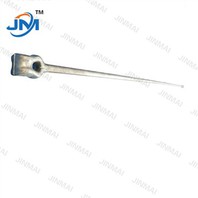
As a trusted ADSS Cable Fittings supplier, I'm excited to share a comprehensive guide on how to install ADSS cable suspension clamps. These clamps are crucial fittings in the installation of All-Dielectric Self-Supporting (ADSS) cables, which are widely used in power distribution and communication networks. Proper installation of suspension clamps ensures the long - term stability and performance of the ADSS cables.
Understanding ADSS Cable Suspension Clamps
Before we dive into the installation process, it's essential to understand what ADSS cable suspension clamps are. ADSS cable suspension clamps are designed to support the ADSS cable along its route, typically between poles or towers. They are made of high - quality materials such as aluminum alloy or stainless steel, which offer excellent corrosion resistance and mechanical strength. The main function of these clamps is to hold the cable firmly in place while allowing it to withstand various environmental factors like wind, ice, and temperature changes.
Tools and Materials Required
To install ADSS cable suspension clamps, you'll need the following tools and materials:
- Suspension Clamps: Of course, you need the appropriate ADSS cable suspension clamps for your specific cable size and application.
- Torque Wrench: To ensure that the bolts are tightened to the correct torque specification.
- Ladder or Bucket Truck: Depending on the installation height, you'll need a safe way to reach the installation point.
- Safety Equipment: This includes safety harnesses, hard hats, and gloves to protect yourself during the installation process.
- Measuring Tape: To measure the correct spacing between clamps.
- Cable Lubricant: To ease the cable into the clamps and prevent damage.
Installation Steps
Step 1: Site Preparation
- First, inspect the installation site. Check the poles or towers for any damage or instability. Ensure that the Electric Pole Cross Arm is in good condition and properly installed.
- Measure the distance between the poles and mark the positions where the suspension clamps will be installed. The spacing between clamps depends on the cable type, span length, and local environmental conditions. Generally, the spacing ranges from 50 to 150 meters.
Step 2: Cable Preparation
- Unroll the ADSS cable carefully, making sure it is not kinked or damaged. Use a cable lubricant to coat the cable where it will be in contact with the suspension clamps. This will reduce friction and prevent cable abrasion during installation.
- Measure the length of cable required for each span and cut it to the appropriate length. Make sure to leave some extra length for future adjustments.
Step 3: Mounting the Suspension Clamps
- Start by mounting the suspension clamps on the Electric Pole Cross Arm. Place the clamps at the marked positions and align them properly.
- Insert the bolts through the clamp holes and the cross - arm, and hand - tighten the nuts initially. Do not fully tighten them at this stage.
Step 4: Installing the Cable into the Clamps
- Lift the cable to the height of the suspension clamps. Use a pulley system or a cable - pulling device if necessary.
- Carefully place the cable into the clamps. Make sure the cable is centered within the clamp and that there is no slack or tension imbalance.
Step 5: Tightening the Clamps
- Use a torque wrench to tighten the bolts on the suspension clamps to the manufacturer's specified torque value. Over - tightening can damage the cable, while under - tightening can cause the cable to slip out of the clamps.
- Check the alignment of the cable and the clamps again after tightening. Make any necessary adjustments to ensure that the cable is straight and properly supported.
Step 6: Additional Fittings Installation
- In some cases, you may need to install additional fittings such as Stay Rod Assembly or Bolt Wire Clamp to provide extra support and stability to the ADSS cable system. Follow the manufacturer's instructions for installing these fittings.
Step 7: Final Inspection
- Once the installation is complete, conduct a final inspection. Check the tightness of all bolts, the alignment of the cable, and the overall stability of the installation.
- Look for any signs of cable damage or improper installation. If any issues are found, correct them immediately.
Troubleshooting
- Cable Slippage: If the cable slips out of the clamps, it may be due to insufficient torque on the bolts or improper cable lubrication. Check the torque values and re - tighten the bolts if necessary. If the cable is not lubricated properly, apply more lubricant and re - install the cable in the clamps.
- Clamp Damage: If the suspension clamps are damaged, replace them immediately with new ones. Damaged clamps can compromise the safety and performance of the ADSS cable system.
- Cable Tension Issues: If the cable is too loose or too tight, adjust the tension by re - positioning the suspension clamps or using tensioning devices. Make sure the tension is within the recommended range for the cable.
Maintenance Tips
- Regularly inspect the ADSS cable suspension clamps for signs of corrosion, wear, or damage. Replace any damaged or worn - out clamps promptly.
- Check the torque of the bolts periodically to ensure they are still tightened to the correct specification.
- Clean the clamps and the cable regularly to remove dirt, debris, and any corrosive substances.
Conclusion
Installing ADSS cable suspension clamps is a critical process that requires careful planning, proper tools, and attention to detail. By following the steps outlined in this guide, you can ensure a successful installation and a reliable ADSS cable system. As an ADSS Cable Fittings supplier, we are committed to providing high - quality products and technical support to help you with your ADSS cable installation projects. If you have any questions or need further assistance with your ADSS cable fitting requirements, please don't hesitate to contact us for procurement and negotiation.


References
- IEEE Standards for ADSS Cable Installation and Fittings
- Manufacturer's Installation Manuals for ADSS Cable Suspension Clamps
- Power Distribution and Communication Network Design Guidelines