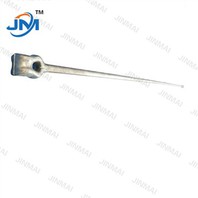
ADSS (All-Dielectric Self-Supporting) cable hardware plays a crucial role in the installation and long - term performance of ADSS cables. As a reliable ADSS Cable Hardware supplier, I am well - versed in the correct installation procedures. In this blog, I will share detailed steps on how to install ADSS cable hardware correctly.
Pre - installation Preparation
Before starting the installation, a series of preparations are necessary. First, carefully examine the ADSS cable hardware components. Check for any visible damage, such as cracks on Pole Line Hardware Forged Thimble Eye, or corrosion on Hot - dip Galvanizing Bolt. Ensure that all the hardware parts match the specifications required for the specific ADSS cable project.
Next, survey the installation site. Measure the distance between poles, the height of the poles, and note any potential obstacles such as trees or buildings. This information is essential for determining the appropriate length of cables and the number of hardware components needed.
Tower and Pole Preparation
The towers or poles that will support the ADSS cable need to be in good condition. Inspect the poles for stability. If there are any signs of leaning or damage, they should be repaired or replaced before installation.

Install the necessary brackets on the poles. These brackets will serve as the attachment points for the ADSS cable hardware. Make sure the brackets are firmly fixed to the poles using Hot - dip Galvanizing Bolt. The bolts should be tightened to the appropriate torque as specified in the product manual. This ensures that the brackets can withstand the weight and tension of the ADSS cable.
Cable Unreeling
Unreeling the ADSS cable is a delicate process. Start by placing the cable reel on a stable and level surface. Use a cable unreeling machine if available to ensure a smooth and controlled unreeling process. Avoid any sharp bends or kinks in the cable during unreeling, as this can damage the cable and affect its performance.
As the cable is unreeled, pay attention to the cable markings. These markings indicate the direction of the cable and other important information. Make sure the cable is unreeled in the correct direction.

Installation of Suspension Clamps
Suspension clamps are used to support the ADSS cable at regular intervals along the poles. First, clean the surface of the cable where the suspension clamp will be installed. This helps to ensure a good grip between the clamp and the cable.
Open the suspension clamp and place it around the cable. Align the clamp with the marked position on the cable. Then, tighten the bolts of the suspension clamp gradually and evenly. Over - tightening can damage the cable, while under - tightening may cause the clamp to slip. Refer to the manufacturer's guidelines for the correct torque value.
Installation of Terminal Hardware
Terminal hardware is used at the ends of the ADSS cable. This includes end fittings and grounding components. Hot Dip Galvanized Strand Ground Clamps are commonly used for grounding purposes.
Attach the end fittings to the cable according to the installation instructions. Make sure the connections are secure and that there are no loose parts. Grounding is an important safety measure. Connect the Hot Dip Galvanized Strand Ground Clamps to the cable and the grounding system. The grounding system should be properly installed and tested to ensure effective grounding.
Tensioning the Cable
Tensioning the ADSS cable is a critical step in the installation process. Incorrect tension can lead to cable sagging, which may cause interference with other objects or affect the cable's performance.
Use a tensioning device to gradually apply tension to the cable. Measure the tension using a tension meter to ensure it is within the recommended range. The tension should be evenly distributed along the cable. As the cable is tensioned, check the position of the suspension clamps and terminal hardware to make sure they remain in place.
Inspection and Testing
After the installation of the ADSS cable hardware is complete, a thorough inspection is necessary. Check all the connections, including bolts, clamps, and end fittings. Make sure they are tight and there are no signs of loosening.
Inspect the cable for any visible damage. Look for cuts, abrasions, or signs of excessive bending. Check the grounding system to ensure it is properly connected and functioning.
Perform electrical and optical tests on the ADSS cable. Electrical tests can detect any grounding problems or electrical interference. Optical tests measure the attenuation and other optical properties of the cable to ensure it meets the required standards.
Maintenance Considerations
Once the ADSS cable hardware is installed and tested, regular maintenance is essential. Periodically inspect the hardware for signs of corrosion, wear, or damage. Replace any damaged components immediately to prevent further problems.

Check the tension of the cable regularly. Over time, the cable may experience changes in tension due to environmental factors such as temperature and wind. Adjust the tension if necessary to maintain the proper performance of the cable.
In conclusion, installing ADSS cable hardware correctly requires careful preparation, precise installation procedures, and thorough inspection and testing. As a professional ADSS Cable Hardware supplier, I can provide high - quality hardware components and technical support to ensure a successful installation. If you are planning an ADSS cable project, I invite you to contact me for more information and to discuss your specific needs. We can work together to select the most suitable hardware and ensure a smooth and reliable installation.
References
- "ADSS Cable Installation Guide", Industry Standard Publication
- Manufacturer's manuals for ADSS cable hardware components